Share this article! Here's a short link you can use: http://im.vu/help1115
Product attributes help describe and categorize products, making it easier for users to find exactly what they’re looking for in the Shop. By assigning attributes like Style, Color, Pattern, Decade, and Fabric, Creators can ensure their products are organized and discoverable. Users can quickly search, filter, and browse products based on these attributes, simplifying the shopping experience and helping them find the perfect items faster.
For Creators: Adding Attributes to Your Products
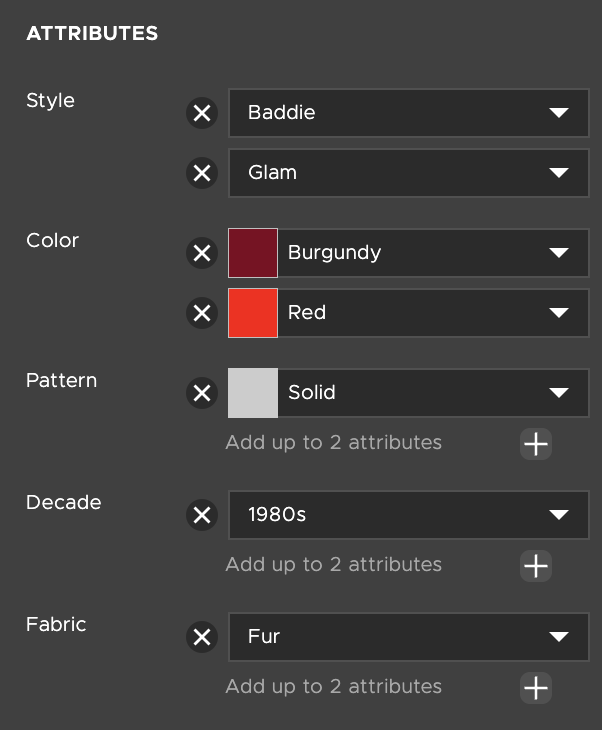
As a Creator, you now have the ability to assign attributes to any product you create, whether it’s new or already published. Attributes make it easier for users to find your products in the Shop. You can assign attributes across five categories: Style, Color, Pattern, Decade, and Fabric.
When adding attributes:
You must select them from a predefined list in Studio. Creating your own custom attributes is not available.
You can choose up to two attributes per category. For example, a product could have two colors, two patterns, two styles, two decades, and two fabrics with a max of ten attributes in total.
Once added, these attributes will be checked during Peer Review to ensure accuracy.
Adding attributes is optional, but recommended if you want your products to be more discoverable in Shop and Inventory searches.
How to Add Attributes
Open your product in Studio.
Navigate to the Info tab and find the “Attributes” section.
Choose up to two attributes from each of the five categories: Style, Color, Pattern, Decade, and Fabric.
Click Save or Submit, and you’re all set!
For Users: Finding and Using Product Attributes
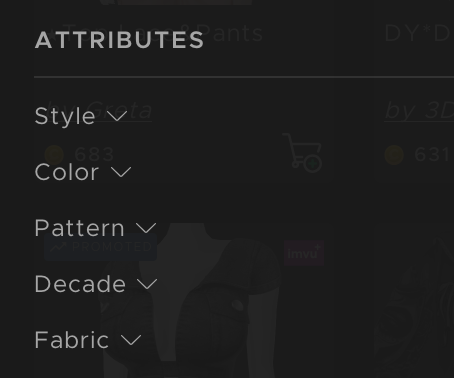
Product attributes make it easier for you to search for and filter products. When you search for a term that matches an attribute, all products with that attribute will appear in the search results. You can filter attributes across five categories: Style, Color, Pattern, Decade, and Fabric.
Key points about using attributes:
Filtering: You can filter products in both Shop and Inventory using attributes. Filters allow multiple selections within a category, showing all products that match any of the selected attributes.
Product Cards: Attributes are visible on product cards, giving you a quick view of key product details.
Limitations: Some sections do not support attribute filters, including:
Featured
Rooms & Furniture
Rooms
Decorated Rooms
Furniture
Poses & Actions
Withmoji
Shop Together
Looks
- Wishlist
- Limited Edition (LE)
Was this article helpful?
That’s Great!
Thank you for your feedback
Sorry! We couldn't be helpful
Thank you for your feedback
Feedback sent
We appreciate your effort and will try to fix the article