I am trying to purchase Annual VIP with PayPal, and it keeps saying Oops! We are dumb. Please have the HTML Support Team look at this issue. I need to purchase Platinum for myself and my wife. $200 sale is hanging in the balance here, folks... GET THIS FIXED !0-0!
0 Votes
14 Comments
Sorted by
LestatDeLioncourtposted
about 1 year ago
Still unsolved after 4 months!
The issue is specifically with the PayPal redirect link for VIP purchases.
1 Votes
x
Xiucoposted
about 1 year ago
Maybe nobody is reading this topic,
but I’ll share what I found after testing it myself.
My conclusion:
It feels like the redirect link to the PayPal login page is broken.
I tried purchasing Diamond, Emerald, and Platinum VIP, all with PayPal selected as the payment method.
The result was always the same — the process gets stuck on the LOADING... screen and never proceeds.
The reason I reached this conclusion:
When I tried buying Credits with PayPal, the redirect worked properly and took me to the PayPal login page.
Also, I checked my PayPal account — no issues there. Both IMVU Credit purchases and shopping on other sites worked fine.
So the problem seems to be specifically with the PayPal redirect link for VIP purchases.
I sincerely hope this post reaches the engineers responsible for the HTML coding
1 Votes
x
Xiucoposted
about 1 year ago
Hi.
Has this issue been resolved?
I'm currently experiencing the same problem.
I've submitted a ticket and have been going back and forth with the issue, but it still hasn't been resolved.
If anyone who has seen this topic has successfully made a PayPal payment,
could you please tell me what environment you needed (were you using a Windows PC, what browser were you using, etc.)?
1 Votes
HoneyDripposted
over 1 year ago
I am getting thee same exact errors. I cleared cache, cleared cookies on Chrome. Still does the same thing. I loaded the Duck-Duck-Go and Firefox as fresh browsers (never loaded) and they both do the same thing.
I am trying to buy annual VIP as a gift. it is not working!
1 Votes
LestatDeLioncourtposted
over 1 year ago
Anyone have any useful information? Anyone have any useful information? Anyone have any useful information? Anyone have any useful information? Anyone have any useful information?
0 Votes
LestatDeLioncourtposted
over 1 year ago
Yes, contacting staff through the normal means is of no help.
0 Votes
Lucasposted
over 1 year ago
Hi, @LestatDeLioncourt! Please contact IMVU's customer support team through a ticket so they can properly investigate and provide a solution to your and your wife's case. In other news, I have made the Staff aware of this.
I am trying to purchase Annual VIP with PayPal, and it keeps saying Oops! We are dumb. Please have the HTML Support Team look at this issue. I need to purchase Platinum for myself and my wife. $200 sale is hanging in the balance here, folks... GET THIS FIXED !0-0!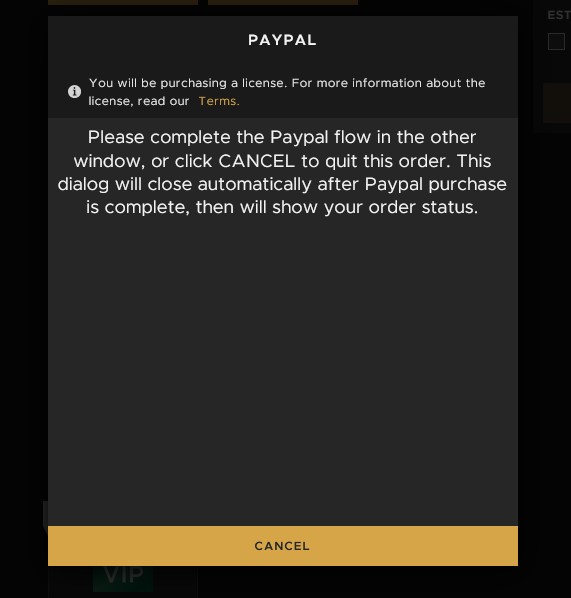
0 Votes
14 Comments
LestatDeLioncourt posted about 1 year ago
Still unsolved after 4 months!
The issue is specifically with the PayPal redirect link for VIP purchases.
1 Votes
Xiuco posted about 1 year ago
Maybe nobody is reading this topic,
but I’ll share what I found after testing it myself.
My conclusion:
It feels like the redirect link to the PayPal login page is broken.
I went to the store here:
https://www.imvu.com/next/store/
I tried purchasing Diamond, Emerald, and Platinum VIP, all with PayPal selected as the payment method.
The result was always the same — the process gets stuck on the LOADING... screen and never proceeds.
The reason I reached this conclusion:
When I tried buying Credits with PayPal, the redirect worked properly and took me to the PayPal login page.
Also, I checked my PayPal account — no issues there. Both IMVU Credit purchases and shopping on other sites worked fine.
So the problem seems to be specifically with the PayPal redirect link for VIP purchases.
I sincerely hope this post reaches the engineers responsible for the HTML coding
1 Votes
Xiuco posted about 1 year ago
Hi.
Has this issue been resolved?
I'm currently experiencing the same problem.
I've submitted a ticket and have been going back and forth with the issue, but it still hasn't been resolved.
If anyone who has seen this topic has successfully made a PayPal payment,
could you please tell me what environment you needed (were you using a Windows PC, what browser were you using, etc.)?
1 Votes
HoneyDrip posted over 1 year ago
I am getting thee same exact errors. I cleared cache, cleared cookies on Chrome. Still does the same thing. I loaded the Duck-Duck-Go and Firefox as fresh browsers (never loaded) and they both do the same thing.
I am trying to buy annual VIP as a gift. it is not working!
1 Votes
LestatDeLioncourt posted over 1 year ago
Anyone have any useful information?
Anyone have any useful information?
Anyone have any useful information?
Anyone have any useful information?
Anyone have any useful information?
0 Votes
LestatDeLioncourt posted over 1 year ago
Yes, contacting staff through the normal means is of no help.
0 Votes
Lucas posted over 1 year ago
Hi, @LestatDeLioncourt! Please contact IMVU's customer support team through a ticket so they can properly investigate and provide a solution to your and your wife's case. In other news, I have made the Staff aware of this.
How to create and reply to a ticket: http://im.vu/help396
How to create a ticket on Mobile: http://im.vu/help769
Thanks!
0 Votes
oLOUo posted over 1 year ago
try contacting the support team and they should be able to assist you with this issue
0 Votes
LestatDeLioncourt posted over 1 year ago
@Saturi Please help :(
0 Votes
LestatDeLioncourt posted over 1 year ago
0 Votes
LestatDeLioncourt posted over 1 year ago
PayPal is up and running. PayPal Chat says it is on IMVU's side...
Fix this PLZ !!!
0 Votes
LestatDeLioncourt posted over 1 year ago
A new error... Reboot that old clunker of a Server, PLZ... LOL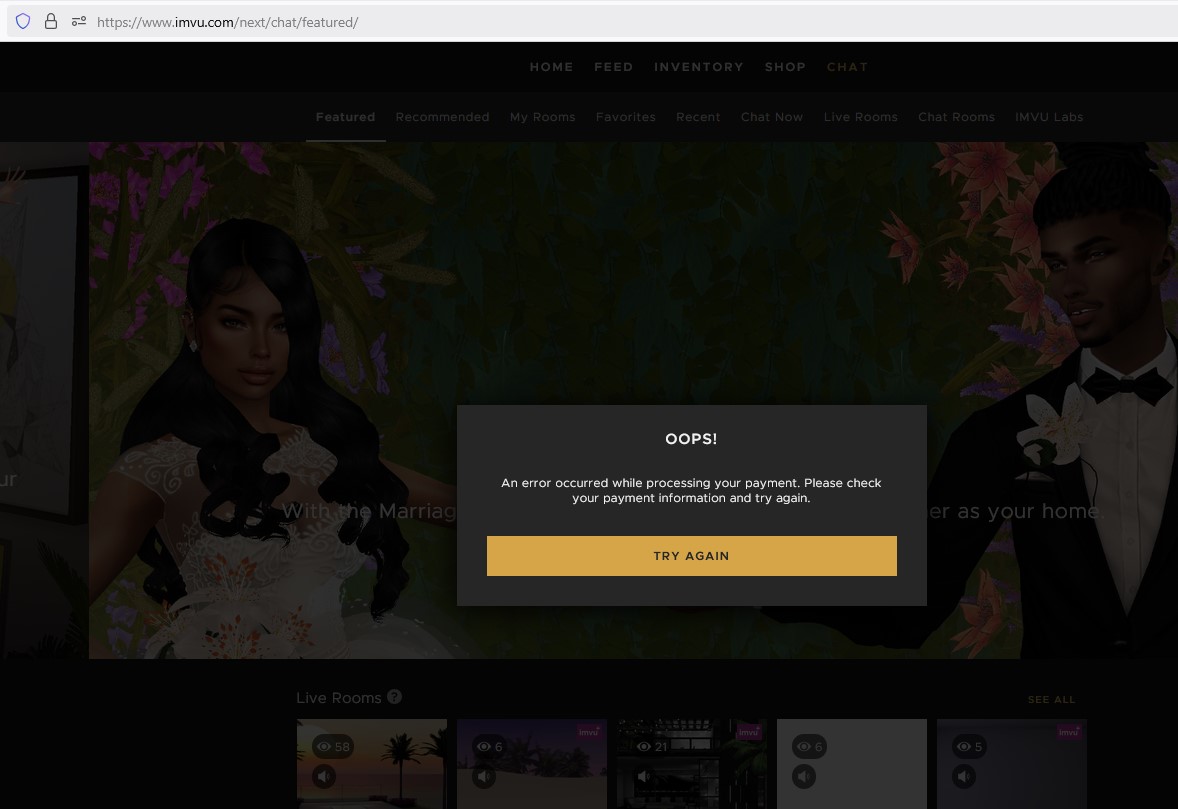
0 Votes
LestatDeLioncourt posted over 1 year ago
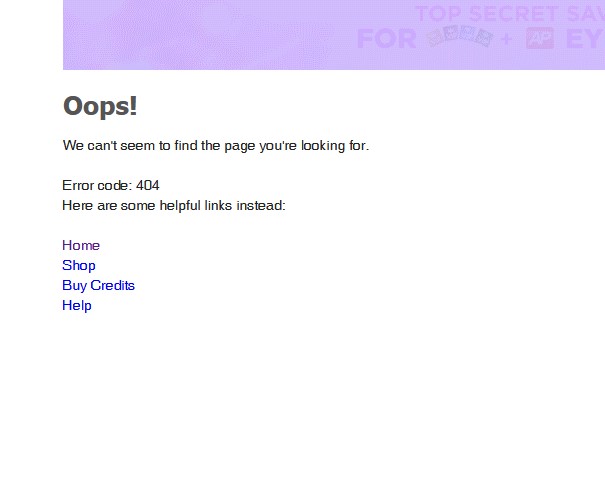
Forever Loading or Gives the 404 HTML Error....
0 Votes
LestatDeLioncourt posted over 1 year ago
https://www.imvu.com/next/store/vip/undefined/
0 Votes
Login to post a comment