Share this article! Here's a short link you can use: http://im.vu/help425
There are cases when IMVU Credits can take two or more days to appear, so please be patient. Please closely read any offer details.
However, there are a series of issues which may complicate the delivery of IMVU Credits. Common issues include:
If you have ad-blocking software, which prevents advertisers from placing the cookies required to track the offer
If your browser security settings are configured not to accept third-party cookies
If you have a software on your computer, which hijacks the cookies and credits the offer completion to another company
If you did not qualify for the offer due to your age or location
If the email address that you used when participating in the survey is different from the one used on your account
If the above instances do not apply, follow these steps to properly inquire about your credits. Note that support is provided directly by our partners.
STEP 1. Go to: https://www.imvu.com/next/earn_credits/offers.
STEP 2. Select the tab where you completed the offer.
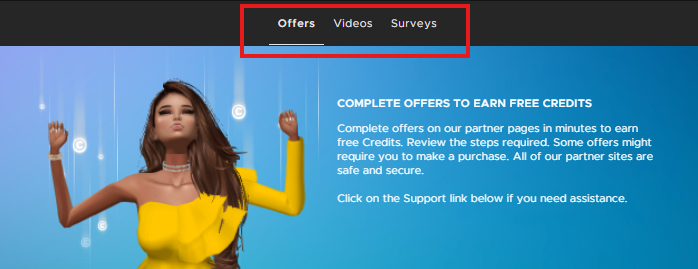
STEP 3. Click the Contact Support button.

STEP 4. A new window should open with all of the offers you have viewed or completed. Read the details on this page, which should also contain the process in getting help for your missing credits.
Which countries are these advertiser supported offers presented to?
While IMVU is seeking to expand both the range of offers and the countries in which offers are presented, please note that fraudulently representing yourself to IMVU sponsored offers may result in your account being terminated. Please only undertake offers and surveys for which you qualify.
And ALWAYS make sure you only take Credit offers from IMVU and its legitimate partners, to protect your account! Here's more information on this topic.
Want to learn more about Earning Credits? Check out other Credit-related articles here!
Was this article helpful?
That’s Great!
Thank you for your feedback
Sorry! We couldn't be helpful
Thank you for your feedback
Feedback sent
We appreciate your effort and will try to fix the article