Share this article! Here's a short link you can use: http://im.vu/help954
If you're experiencing issues with IMVU Mobile, Customer Support may ask for the version of the app you have installed. Here is how to get it.
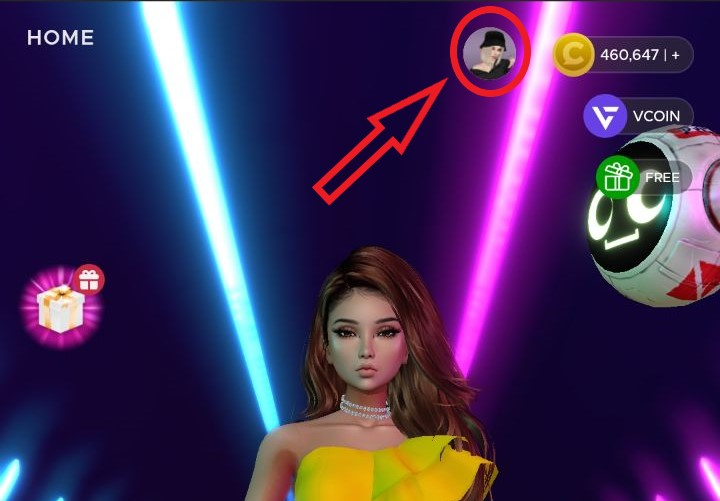
STEP 1. Tap your profile icon in the top-right corner of the homescreen, and go to Settings.
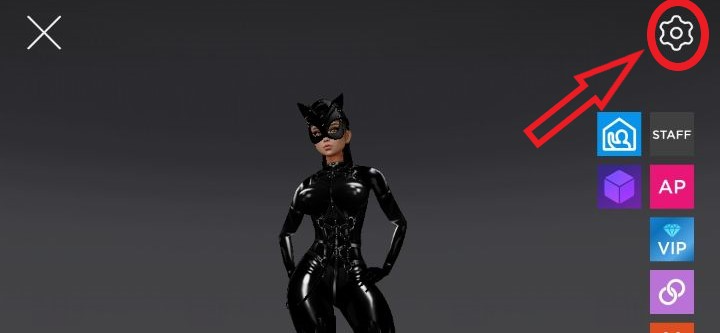
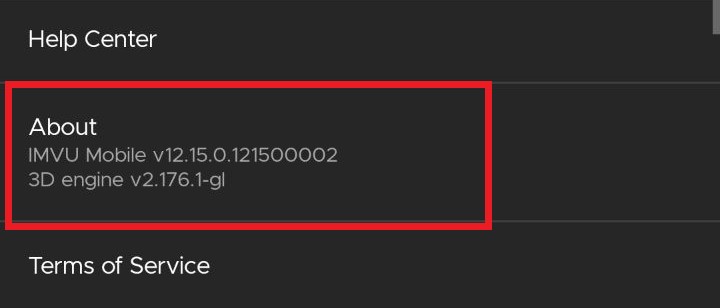
STEP 2. Scroll down to the About section. The App Version will be a string of numbers directly below it.
Was this article helpful?
That’s Great!
Thank you for your feedback
Sorry! We couldn't be helpful
Thank you for your feedback
Feedback sent
We appreciate your effort and will try to fix the article