Share this article! Here's a short link you can use: http://im.vu/help564
On IMVU Classic Website
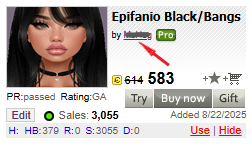
Step 1. Click the creator’s name on the product display card. It usually starts with the preposition “by”.
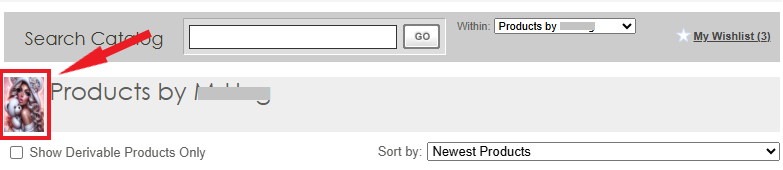
Step 2. You will be directed to the creator’s catalog. Click on their profile photo to visit their homepage.
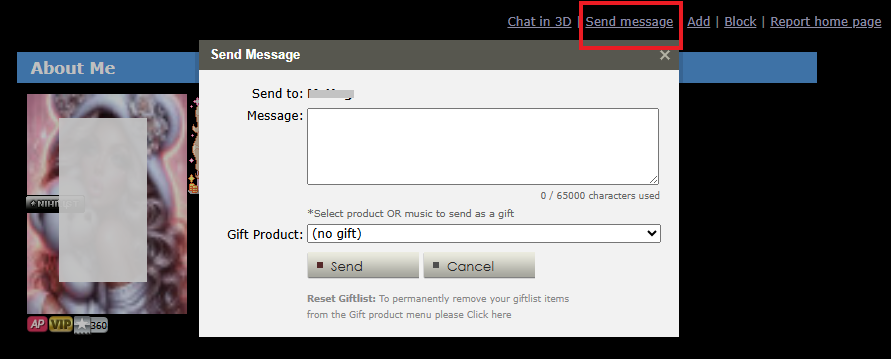
Step 3. On the creator’s homepage, select “Send message” on the upper right side. Type your message, then hit Send.
I’m on the IMVU Website; can I still reach out to the Creator?
Yes! Check out this article for steps on how to do it through the IMVU Website.
What if I’m on IMVU Mobile, can I send a message to the Creator?
Definitely! Learn more on how you can send messages to the Creator via mobile here.
Was this article helpful?
That’s Great!
Thank you for your feedback
Sorry! We couldn't be helpful
Thank you for your feedback
Feedback sent
We appreciate your effort and will try to fix the article