Share this article! Here's a short link you can use: http://im.vu/help518
Get together with like-minded folks! To join a group, follow the steps outlined below:
Step 1. Access the IMVU Classic Website here: https://www.imvu.com/catalog/web_myaccount.php.
Step 2. Under the Community tab, select Groups.
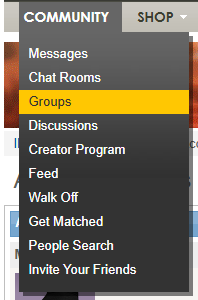
You will be directed to the IMVU groups page.
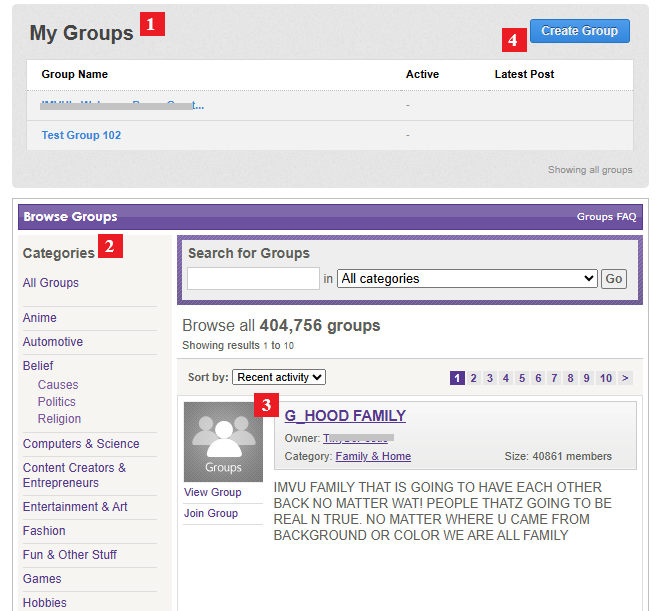
1. My Groups - Under this section, you will see the groups you are currently in.
2. Categories - Find your best interest. From Animes to Real Life, we got it all!
3. Group Profile - In this section, you will see the group name, category, number of members, and what the group is all about. To find out more, you can click on “View Group”. To be one of them, simply select “Join Group”.
4. Create Group - Start your own group! For more information, check out this article: http://im.vu/help710.
Was this article helpful?
That’s Great!
Thank you for your feedback
Sorry! We couldn't be helpful
Thank you for your feedback
Feedback sent
We appreciate your effort and will try to fix the article